

Export audio
File ▸ Export audio… (⌘⇧E) renders the project to a WAV file.
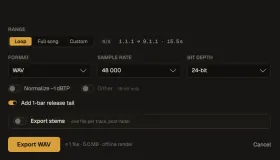
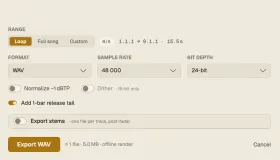
| Option | What it does |
|---|---|
| Range | Loop (the loop range) or Full song |
| Format | WAV |
| Sample rate | 44 100, 48 000 or 96 000 Hz |
| Bit depth | 16-bit, 24-bit or 32-bit float |
| Normalize −1 dBTP | Brings the loudest true (inter-sample) peak to −1 dBTP — measured exactly on the render, so it never overshoots |
| Dither | TPDF dither, offered for 16-bit only |
| Add 1-bar release tail | Lets reverbs and delays ring out after the end |
| Export stems | One file per track (post-fader) instead of the mix |
The window estimates the number of files and their size before you start. Rendering is offline and bit-exact; a progress window shows it.
With Export stems and Normalize on, all stems share one gain taken from the full mix, so they still add up to the mix at −1 dBTP.
For loudness targets (−14 LUFS for streaming and so on), master with Nota Ceiling or Nota Level before exporting.