

Nota Mosaic
Nota Mosaic plays many samples across the keyboard — a real piano recorded note by note, soft and hard, with the damper’s thump on release. Each sample is a zone: a rectangle of keys × velocities with its own root note, tuning, gain, pan, start / end and loop. Zones gather in groups — layers with a shared gain and tuning and a round-robin, so a repeated note doesn’t sound like a machine gun.
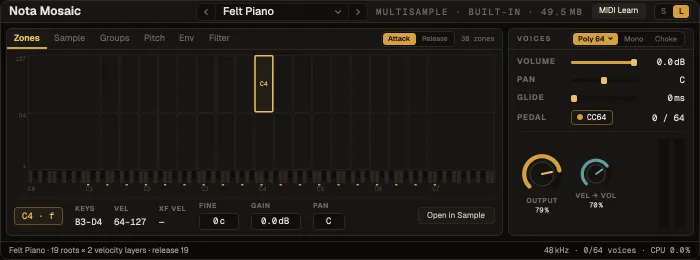
On a note every zone that covers the key, the velocity and the group’s current round-robin step sounds at once; crossfades blend neighbouring layers. Release zones sound when you let go of the key (or the pedal) — quieter the longer you held it.
Where the sound comes from
Section titled “Where the sound comes from”- Factory presets — 11 presets on built-in multisamples: Keys (Felt Piano, Felt Piano Soft, Felt Piano Bright, Music Box), Mallets & Plucks (Glass Mallets, Nylon Guitar, Brass Pluck, Brass Lead) and Pads (Warm Pad, Warm Pad Filtered). Their samples are made the first time you load one.
- Sample packs — every pack installed in Settings → Downloads → Sample Packs shows up in the preset picker under Packs, one preset per instrument it holds. A pack with SFZ programs plays them as made, CC articulations included.
- Your own samples — right-click a folder in the browser’s Files tab → Create multisample…, or drop audio files or a folder on the card (see below).
Samples are referenced, not copied into the project. They load into memory in the background — the card shows a progress bar and notes stay silent until everything is in. If a project or preset opens on a computer without its pack, the card says so and offers Install pack or Locate folder….
Create multisample
Section titled “Create multisample”Mosaic reads the note, the velocity layer, the round-robin step and the release mark from the
file names (trombone_gb4.wav, _f_, _rr2, _rel). On the left are the instruments it found,
each with how sure it is; on the right, the chosen one’s zone map with what needs a look — gaps
where neighbours were stretched, duplicates, notes it had to guess by listening. Whether C4 or C3
is middle C differs between libraries, so Mosaic checks the octave by ear and explains its
verdict. Create N presets saves one preset per checked instrument under Packs, in a folder named after yours.
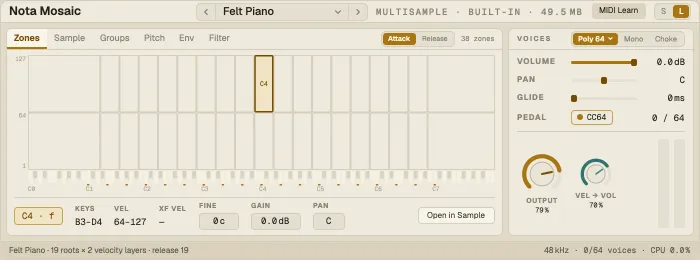
The map is keys across, velocity up, with the keyboard under it; a brass tick marks each zone’s root. Click a zone to select it, drag it to move it, drag an edge to resize it; play the keyboard to hear it. Attack / Release switches between the zones heard on key-down and the release zones. The row below edits the selected zone: root, layer and round-robin, keys, velocity, Fine, Gain, Pan. Every edit is one undo step.
Other tabs
Section titled “Other tabs”| Tab | What it holds |
|---|---|
| Sample | The selected zone’s sample: start, end and loop (drag them), loop mode, Crossfade, Gain, Snap to zero, Trim silence |
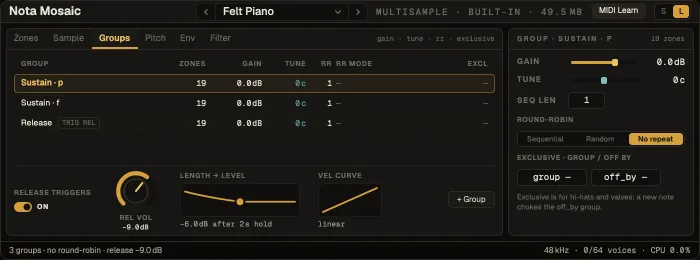
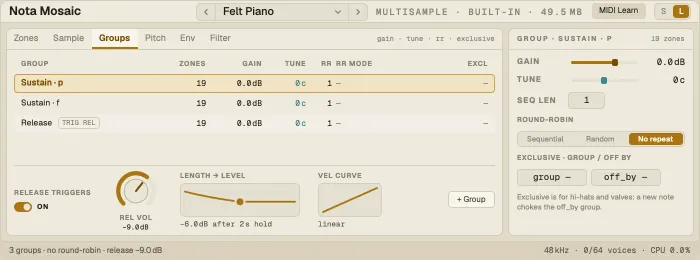
| Groups | The layers: zones, gain, tune, round-robin with RR mode (Sequential, Random, No repeat), exclusive groups; Release Triggers with their level and the Length → level curve |
| Pitch | Transpose, Detune, Keytrack, the zone’s root and fine tune, the MPE Bend range |
| Env | The amp envelope — drag it or use Attack, Decay, Sustain, Release; Vel curve; MPE Pressure |
| Filter | The filter response (drag it): type, Cutoff, Reso, Keytrack, Env → Cutoff; MPE Slide |
Voices
Section titled “Voices”The rail on the right: Poly with 16, 32, 64 or 128 voices, Mono (legato, with glide) or Choke; Volume, Pan, Glide, the Pedal, Output, Vel → Vol and the meter. Click Poly for its popover: what the voices are doing, the stealing order (released voices first, then the quietest, then the oldest), Per key — how many strikes of one key may ring — and Old voice fade.
The S size shows the name, a mini map, the zone and layer count and the memory it uses.
Playing it
Section titled “Playing it”- Sustain pedal: your keyboard’s pedal (CC64) holds notes; release zones sound when it lifts.
- MPE: bend retunes the note, pressure adds level, slide opens the filter — see MIDI controllers.
- A drier piano: lower Rel vol on the release triggers in Groups.
- A pad from a pluck: a slow Attack and a long Release in Env, then close the filter a little.
- Your own kit of notes: name files like
bass_c2_f_rr1.wavand Create multisample lays them out with no manual mapping.