

Version history
Every time you save, Nota keeps a version of the project inside it. Nothing is overwritten: you can go back to how the song was an hour or a week ago, or try something bold knowing the old version is one click away.
The History tab
Section titled “The History tab”Open the History tab in the browser (the clock icon at the bottom of the rail). Versions are listed newest first, joined by a line; the brass dot marks the version the project is at.
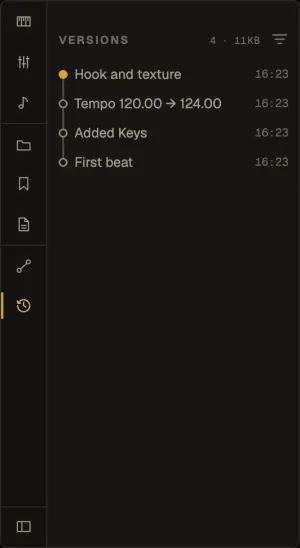
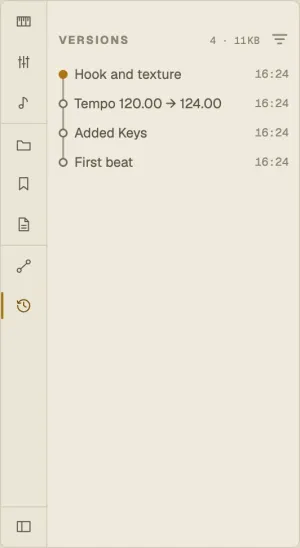
Each version describes itself by what changed — “Added Keys”, “Tempo 120.00 → 124.00” — so the list reads without notes. A version with a note or a name shows that instead. The counter at the top says how many versions there are and how much space they take.
Saving versions
Section titled “Saving versions”- File ▸ Save (⌘S) — records a version.
- File ▸ Save Version with Note… (⌥⌘S) — asks What changed in this version? and keeps your answer with it.
Versions share their audio, so each one only costs what it adds. Save As takes the whole history to the new project.
Going back
Section titled “Going back”Click a version to see its details, then:
- Switch — the project goes back to that version. If you have unsaved changes, Nota offers to save them as a new version first, so nothing is lost.
- Open copy — opens that version as a separate new project and leaves this one as it is.
Saving after switching to an older version starts a branch: the newer versions stay, and the tree shows where the paths split.
Naming, notes and stars
Section titled “Naming, notes and stars”Right-click a version for Name…, Add note…, Star and Delete version…. Star the versions that matter — a mix you sent, the take everyone liked.
You can’t delete the version the project is at; switch to another one first.
Cleaning up
Section titled “Cleaning up”The menu at the top of the tab deletes all unnamed versions at once, keeping the ones you named. To stop recording versions altogether, turn off Keep a version history of each project in Settings ▸ Library — Nota warns first, because that erases the existing history.