

Nota Chamber
Nota Chamber is two reverbs in one: a convolution engine that plays back real-sounding spaces, and an algorithmic engine for lush, modulated, shimmering tails. Blend them, or feed one into the other.
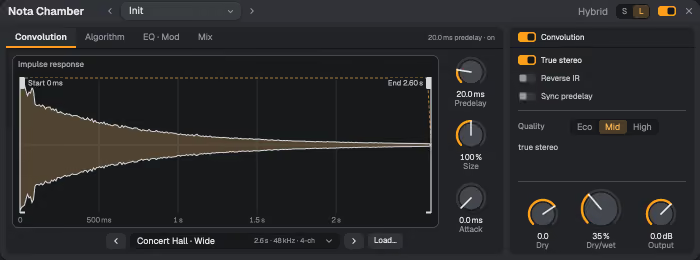
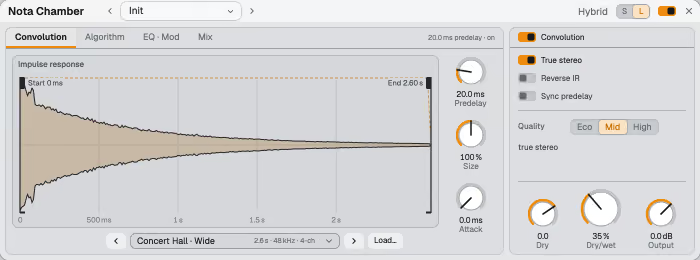
Layout: four views in the centre — Convolution (the IR as a clip, Predelay, Size and Attack beside it, the IR picker under it), Algorithm (the decay time by frequency, Decay, Size and Damping beside it, the mode under it), EQ · Mod (the tail EQ, its cuts beside it, its position under it) and Mix (the signal flow, Blend, Width and Mono f beside it, parallel / serial under it) — and a right panel that follows the tab: the convolution engine (on, true stereo, reverse, sync, quality), the algorithm (on, Freeze, Diffuse, Predelay, Hold in, Vintage, Sync), Mod (rate, depth, the shimmer) and Mix (ducking, wet only, zero latency). Under it on every tab sit Dry, Dry/Wet and Output. The S / L switch in the header folds the card to S: the IR over its picker and Predelay, Size, Attack and Dry/Wet.
Convolution
Section titled “Convolution”Sixteen built-in impulse responses — halls (Concert Hall · Wide, Stone Vault, Cathedral, Scoring Stage), rooms (Wood Chamber, Live Room, Drum Room, Tiled Bathroom), plates (Vocal Plate, Bright Plate), Spring Tank, spaces (Car Park, Stairwell, Forest Clearing) and FX (Gated Room, Metal Tank) — or your own: drop a WAV, FLAC or MP3 on the IR view, or use Load… (mono, stereo or 4-channel true stereo).
The view shows the recording like an audio clip. Drag the Start and End brackets to keep part of it; inside them the waveform is drawn as you hear it — faded in by Attack, faded out at a trimmed end, backwards with Reverse — and a dashed line marks where the fades act. Size time-stretches it, True Stereo uses all four channels of a 4-channel IR, and the pre-delay runs free or synced. The engine has zero latency; turning Zero Latency off saves CPU.
Algorithm
Section titled “Algorithm”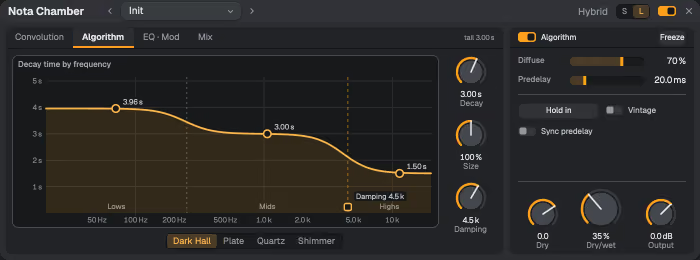
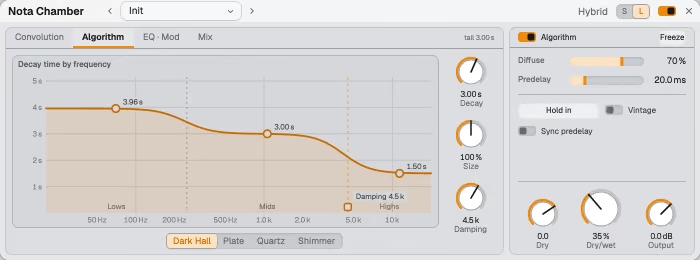
Dark Hall, Plate, Quartz or Shimmer. The graph shows how long each part of the spectrum rings: the Lows, Mids and Highs plateaus, each with a handle — drag it up for a longer decay (the mids are Decay, and the lows and highs follow them as ratios) — and the dashed Damping line where the highs begin, which you drag sideways. Then Size, Diffuse, Damping, modulation, a Vintage colour, and for Shimmer a pitch shifter (fed back into the tail, or on top). Freeze holds the tail (input muted unless Freeze In is on). Its own pre-delay, free or synced.
EQ · Mod
Section titled “EQ · Mod”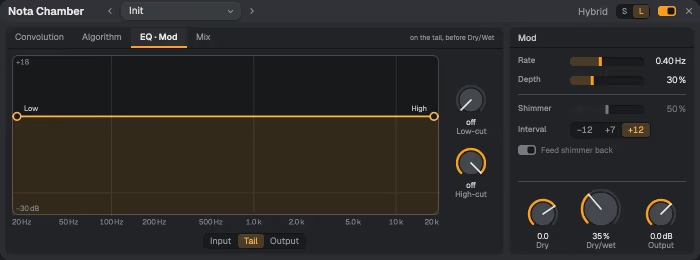
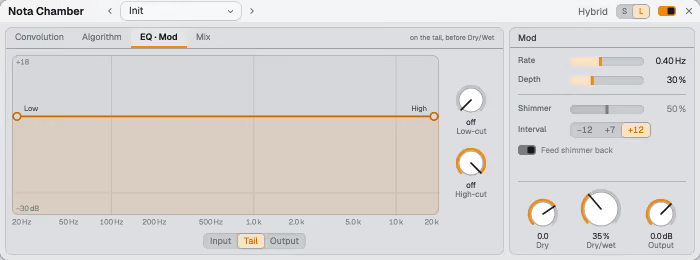
A 4-band EQ you can place at the input, on the tail or at the output — drag its handles — and the modulation settings.
The Mix tab draws the signal flow: the input splits into the dry path and the two engines — side by side (Parallel) or the convolution feeding the algorithm (Serial) — whose Blend runs through the EQ (wherever it sits), the stereo stage (Width, bass mono below Mono f) and Ducking (the input pushes the reverb down while it plays), meets the dry at the mix and leaves at the output. Click an engine to turn it on or off, or the EQ to move it. Wet only is for a return.
Presets
Section titled “Presets”22 factory presets: halls (Stone Vault, Concert Hall, Cathedral Wash, Scoring Stage, Vintage Hall, Ducked Vocal Hall), rooms (Wood Chamber, Drum Room, Live Room, Car Park, Gated Snare), plates and springs (Vocal Plate, Snare Plate, Spring Box, Metal Tank), effects (Wide Shimmer, Octave Down Bloom, Endless Pad, Reverse Swell, Forest Echoes) and for returns (Send · Big Hall, Send · Plate).