

Nota Auto Shift
Nota Auto Shift corrects pitch as it plays — gently, so a vocal just sits in tune, or hard, for the robotic hard-tune sound. It can also follow a key it learns from the singing, or the notes of another track.
How it works: it detects the voice’s pitch, picks a target note, and shifts the voice there while keeping the formants (the voice’s character) where they were. The dry signal is delayed by the same amount, and the delay is compensated, so Mix never smears.
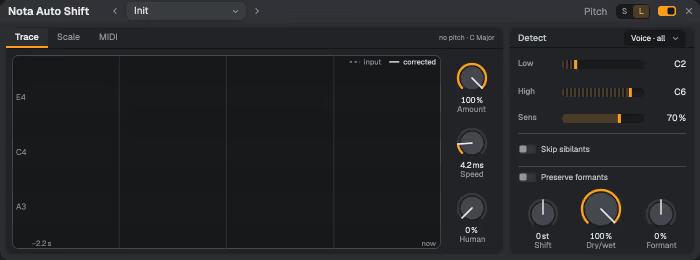
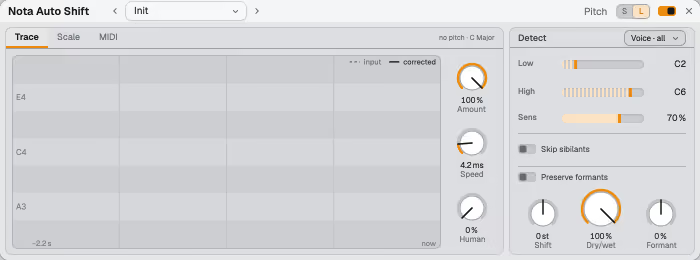
Layout: a centre panel with three tabs — Trace, Scale, MIDI, each a window with its own knobs beside it — and a right panel that follows the tab: Detect on Trace, Key on Scale, MIDI on MIDI. Under the right panel, whichever tab is open, sit Preserve formants and the output knobs Shift, Dry/Wet and Formant. The tab bar reads out what the voice is doing now (input note → target). The S / L switch in the header folds the card to S: the trace over Key, Scale, Amount, Speed, Human and Dry/Wet.
The detected pitch and the corrected pitch on the scale’s note lanes, over time, with the knobs that shape the correction beside it:
| Control | What it does |
|---|---|
| Amount | How far the pitch is pulled to the target |
| Speed | How fast it gets there — slow is natural, instant is hard tune |
| Human | Keeps vibrato around the corrected note |
The right panel is Detect: a voice preset in its title bar (Voice · soprano, Instrument…) sets Low / High — the note range to look for — and Sens; Skip sibilants leaves “s” and “t” sounds alone.
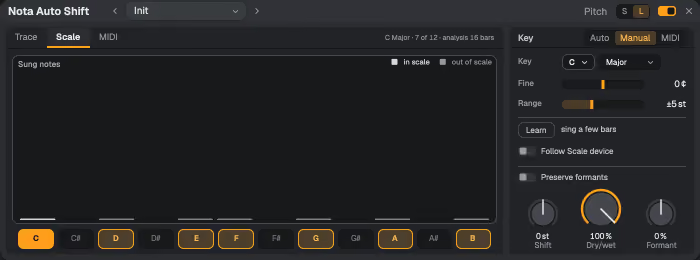
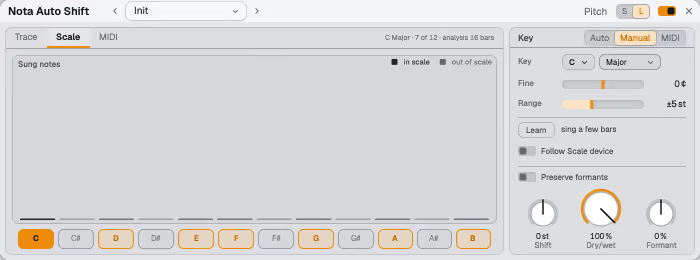
A histogram of the notes actually sung, with the scale’s notes in a row under it: click a note to add it or take it out (the scale becomes Custom).
The right panel is Key. Its title bar picks where the key comes from: Auto follows the key you sing, Manual uses the one you set, MIDI takes the target from another track (the MIDI tab). Under it: Key and Scale (Chromatic, Major, Minor, Penta Maj, Penta Min, eight more modes, or Custom), Fine (±100 cents), Range (only notes within this distance are corrected), Learn — listens for about 16 bars and shows the key it found — and Follow Scale device, which copies the key and scale of a Nota Scale on the track.
The target comes from the notes another track plays. Glide and Bend (the widest move that glides; wider leaps jump) sit beside the window. The right panel is MIDI: the source track in its title bar, Note (snap to the exact note) or Scale (use the notes as a scale), Latch, Oct lock and Pitch bend from MIDI.
Output
Section titled “Output”Preserve formants keeps the voice’s character when it is shifted. Shift transposes the result (±12 semitones), Dry/Wet blends, Formant moves the formants on their own (a bigger or smaller voice).
Presets
Section titled “Presets”34 factory presets: correction (Hard Tune, Robot Voice, Natural Vocal, Transparent Touch, Pop Lead, R&B Runs, Ballad, Rap Hook, Choir Tighten), keys (Auto Key, Chromatic Fix, Minor Key, Pentatonic Pop, Blues in A, Dorian Groove), voices (Soprano, Alto, Tenor, Bass Voice, Lead Instrument), effects (Octave Up, Octave Down, Chipmunk, Monster, Gender Up, Gender Down, Formant Up, Detune Double, Fifth Harmony, Harmony Lock) and MIDI (MIDI Hard Tune, MIDI Scale Follow, MIDI Melody Replace).