

Nota Instrument Rack
Nota Instrument Rack holds several chains — each an instrument with its own effects — on one track. Layer a pad under a pluck, split a keyboard into bass and lead, or switch sounds by how hard you play.
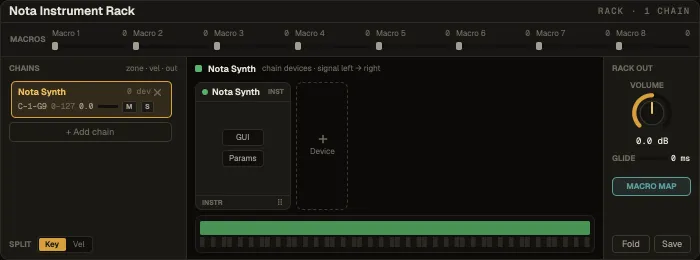
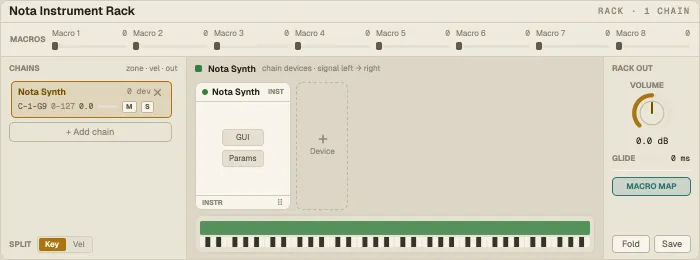
Layout: eight macros on the left, the chain list in the middle, the selected chain’s devices on the right.
Chains
Section titled “Chains”+ Add chain adds one; pick its instrument, then add effects with + Device. Each chain has a name, its own gain and meter, mute and solo.
Zones decide which chain plays: a key zone (a range of notes) and a velocity zone (a range of how hard). Overlapping zones layer; separate zones split. The zone map shows them across the keyboard.
Devices inside a chain
Section titled “Devices inside a chain”Each device shows as a card with its knobs. GUI opens the device’s full editor (for a plug-in, its own window; for the Sampler, its tabbed editor) in a device window; Params lists its parameters. Drag cards to reorder; ✕ removes one.
Rack output and macros
Section titled “Rack output and macros”Volume and Glide for the whole rack. Eight named macros turn many parameters in the chains at once. Fold hides the chains; Save stores the whole rack as a preset.