

Nota Remote
Nota Remote turns a phone or tablet into a controller. Nothing to install: Nota serves the page itself, over your local Wi-Fi or a USB cable.
Connecting
Section titled “Connecting”-
Click Remote in the transport bar (or View ▸ Connect Phone…). The first time, allow control from a phone — on macOS, also allow Nota to find devices on the local network.
-
Scan the QR code with the phone’s camera. Or open the address shown and type the four-digit code (it changes every two minutes).
-
The phone plays Nota within seconds. Add it to the Home Screen for a full-screen app that reconnects by itself after a locked screen or a dropped link.
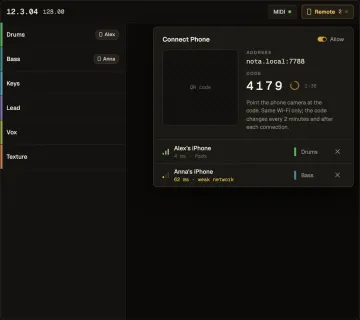
A phone you’ve paired is trusted: it reconnects from its Home Screen icon without a code until you forget it in Settings ▸ Remote.
USB works too — a phone on a cable (USB tethering on Android, Internet Sharing on the Mac) gets an instant, radio-free link. Nota notices the cable, puts its address in the QR, and marks the phone USB.
The screens
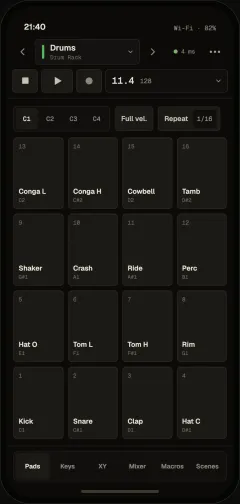
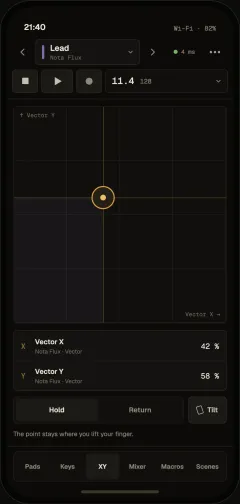
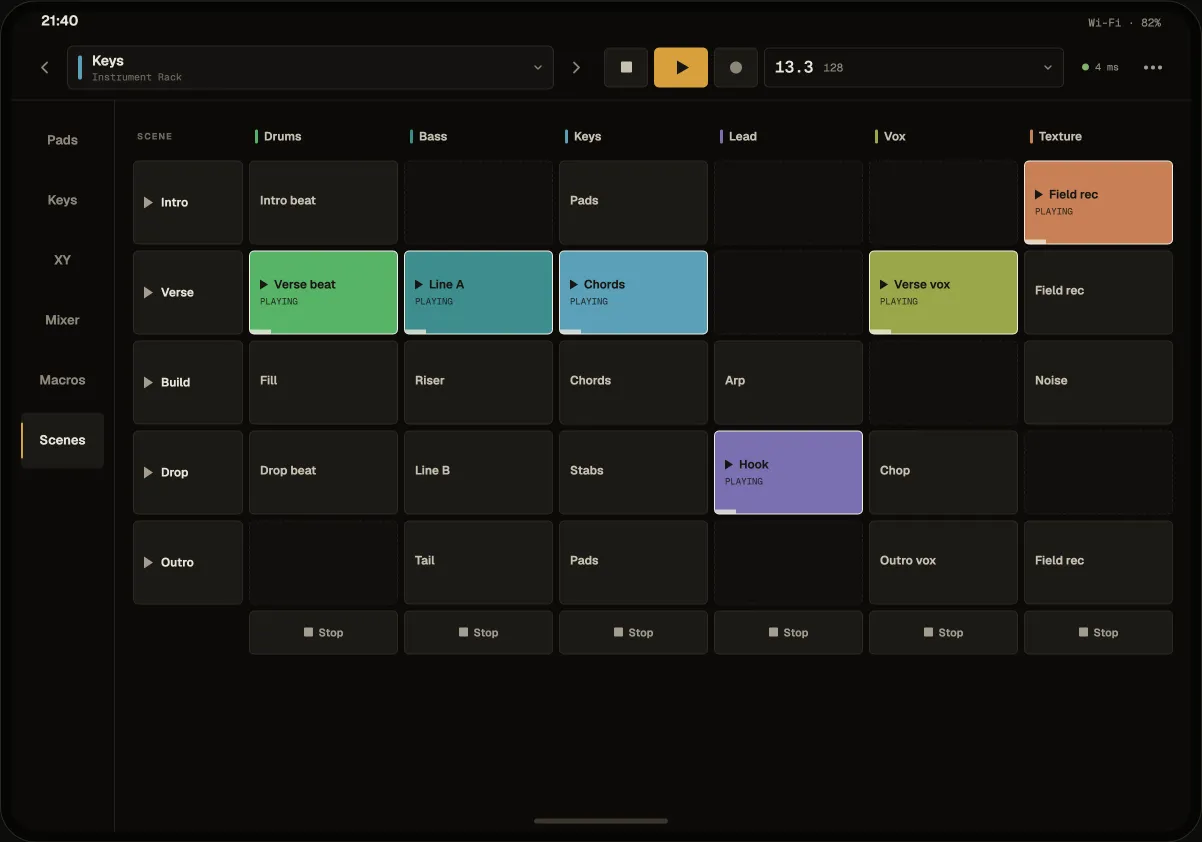
Section titled “The screens”Every screen shares one header: the track picker, a mini transport and the link status. Tap the position for the big transport (play, stop, record, loop, metronome, undo, tap tempo, jump to sections).
| Screen | What it does |
|---|---|
| Pads | A grid of pads — a Drum Rack’s pads by name, banks, full velocity, note repeat |
| Keys | A Keyboard, a Scale grid in the project key, or Chords; Expressive for MPE synths |
| XY | An XY pad on the track’s controls, with Hold / Return and Tilt — the phone’s motion drives it |
| Mixer | Faders, mute, solo and arm for every track |
| Macros | The selected device’s macros as knobs |
| Scenes | The Session grid — launch clips and scenes |
On a track whose synth plays MPE, Keys shows an Expressive switch in Keyboard and Scale. With it on, a finger keeps the note it struck instead of gliding to the next key: slide sideways to bend it (a key’s width is its pitch step — a white key on the keyboard, a scale step on the grid), and up or down the key to change its timbre. A phone or tablet that senses touch force also sends pressure.
A phone is one more controller
Section titled “A phone is one more controller”Its notes record like the computer keyboard’s; faders and macros move Nota’s controls (one gesture, one undo step); its knobs and XY axes can be mapped through MIDI Learn like hardware. The XY pad and tilt are mapped per track, so each track’s XY plays its own sound.
Several phones can play at once, each on its own track — the track list and the mixer show who plays what.
What phones may do
Section titled “What phones may do”In Settings ▸ Remote: Play notes only (pads and keys; mixer, transport and mappings are read-only) or Play and control the project (also mixer, transport, macros, XY and Session).