

Nota Rhythm
Nota Rhythm is a self-contained groovebox: eight drum voices and a 16-step sequencer that plays in time with the transport. It starts on a factory kit; MIDI notes also trigger the voices live, so you can finger-drum over the pattern.
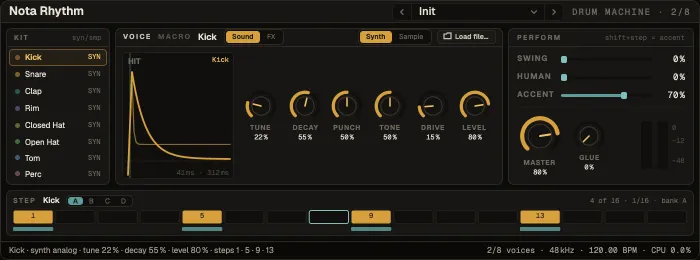
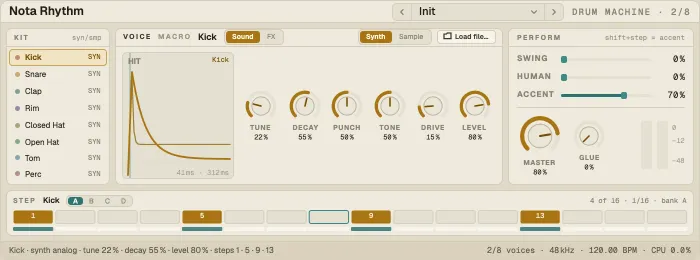
The card, left to right
Section titled “The card, left to right”Kit — the eight voices: colour, name, an fx mark when it has effects, and SYN or SMP (synth or sample). Click a voice to select it and hear it; drop an audio file on it to load a sample; right-click for more. The header’s preset picker chooses the kit — the same 25 factory kits as the Drum Rack.
Voice — the selected voice, on two tabs:
- Sound — a synth voice shows its hit contour (drag across for Decay, up / down for Tune) and Tune, Decay, Punch, Tone, Drive, Level. A sample voice shows the file with its Start / end lines, Reverse, and Start · Length · Tune · Decay · Drive · Level.
- FX — the voice’s own effect chain: click a slot for the effect’s card, add one from the menu or drop one in. A snare can have its own reverb, a kick its own saturation.
Perform — Swing, Human (velocity jitter) and Accent, then Master and Glue (a gentle bus compressor on the whole kit), and the meter.
Step — the selected voice’s 16 steps in bank A–D, with a velocity lane underneath.
Programming steps
Section titled “Programming steps”| Do this | To |
|---|---|
| Click a step | Turn it on or off |
| ⇧-click | Accent it |
| ⌥-click | Make it a quiet step |
| Drag across steps | Paint them |
| Drag a step up / down (or scroll) | Set its velocity |
The step menu fills every beat, every 8th or every 16th, adds off-beats, and shifts the pattern left or right. Steps are 16ths: 16 steps = one bar.
The synth voices are a kick (sine with a pitch drop and click), snare (tone plus noise), clap, rim, closed and open hats (the closed one chokes the open one, 808-style), tom and perc.
Macros
Section titled “Macros”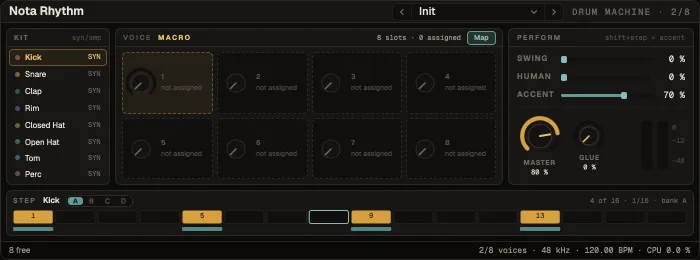
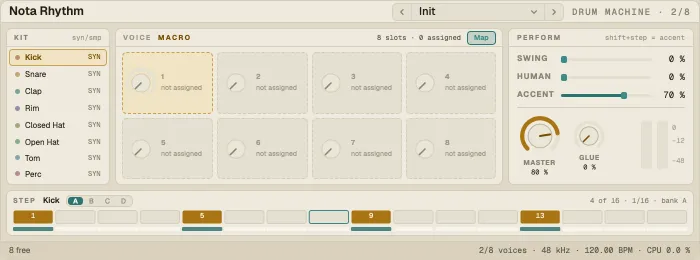
Macro in the header swaps the panel for the kit’s eight macros. Each drives one or more targets — a voice’s Decay, the Glue, or a parameter of a voice’s effect — across a range, so one knob can open every snare and clap reverb at once. Select a macro and Map a control to it; right-click a macro for its targets and ranges, to rename it or clear it. A factory kit loads with its own macros.
- A beat in a minute: pick a kit from the header, select the kick, click steps 1, 5, 9 and 13, then the snare on 5 and 13, and raise Swing a little.
- Bring in your own sounds: drop one-shots from the browser onto the voices.