

Nota Aurora
Nota Aurora is a wavetable synth: each oscillator reads through a table of waveforms, and moving its position morphs the sound from one shape to the next. It’s built for pads that evolve, digital basses, plucks and bells.
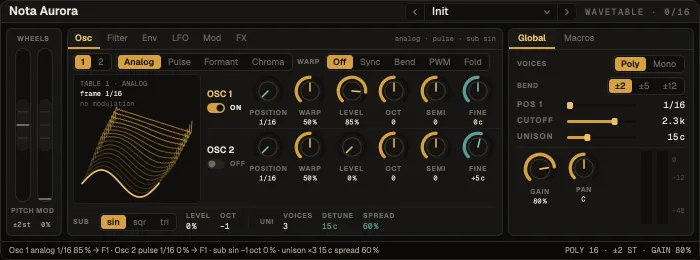
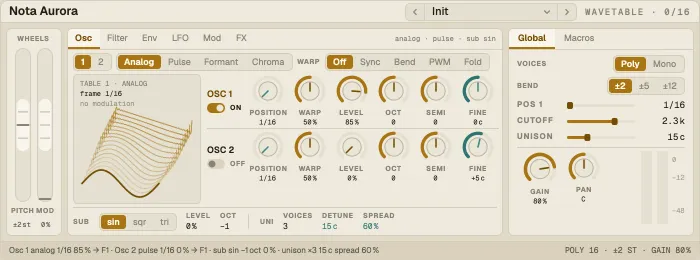
Signal flow: Osc 1 + Osc 2 + Sub (with unison) → Filter 1 and Filter 2 (in parallel or in series, each source routed to F1, F2, both or dry) → amp envelope → drive → chorus → reverb.
The wheels on the left (pitch bend, mod wheel) are on every tab. The rail on the right shows Global controls or the Macros.
| Control | What it does |
|---|---|
| Table | The wavetable bank: Analog, Pulse, Formant or Chroma |
| Position | Where in the table the oscillator reads (16 frames) |
| Warp · warp mode | Bends the wave: Off, Sync, Bend, PWM or Fold |
| Level · Oct · Semi · Fine | Level and tuning of each oscillator; each can be switched off |
| Sub | A sub oscillator: level, octave and wave |
| Unison | Voices, Detune and Spread of the unison stack |
Filter
Section titled “Filter”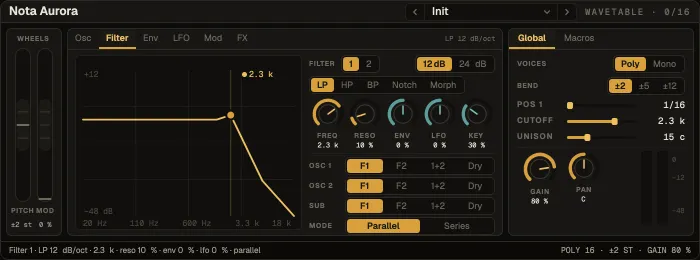
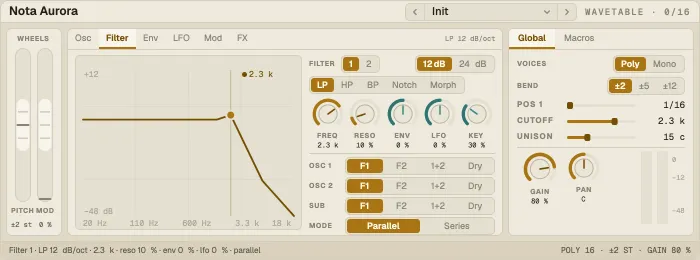
Two filters, F1 and F2: LP, HP, BP or Notch, with slope, cutoff, resonance and Env, LFO and Key amounts — drag the response for cutoff and resonance. Routing sends Osc 1, Osc 2 and Sub each to F1, F2, both or dry, with the filters in Parallel or Series.
Env and LFO
Section titled “Env and LFO”Env 1 shapes the amplitude, Env 2 is free for the mod matrix; both are drawn and draggable. Two LFOs — shape (including S&H), rate, depth, optional tempo sync — each show where they’re routed, over a window that draws the selected LFO.
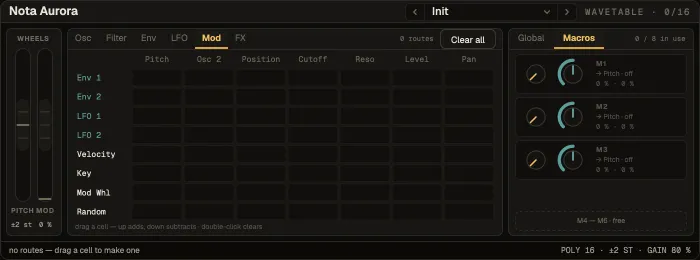
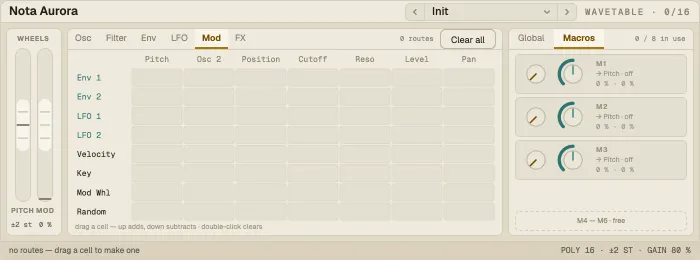
An 8 × 7 matrix: sources (Env 1, Env 2, LFO 1, LFO 2, Velocity, Key, Mod Wheel, Random) down the side, destinations (Pitch, Osc 2 Pitch, Position, Cutoff, Reso, Level, Pan) across. Drag a cell up for a positive amount, down for a negative one. Clear all resets it.
Macros — eight of them, three to a page in the rail — each set a value, an amount and one of twelve targets. Map them to a controller with MIDI Learn for hands-on morphing.
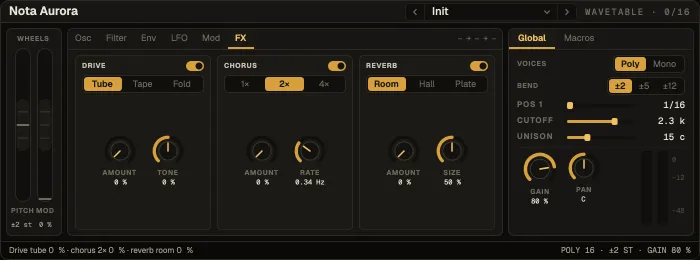
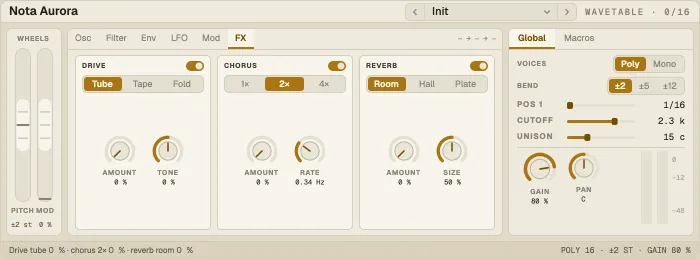
Each block has its own switch:
- Drive — Tube, Tape or Fold, with Tone.
- Chorus — 1, 2 or 4 voices, with rate.
- Reverb — Room, Hall or Plate, with Size.
Global
Section titled “Global”Voice mode (Poly 16 or Mono), bend range, position, cutoff, unison, gain, pan and the track’s meter.
Presets
Section titled “Presets”25 factory presets: pads (Warm Pad, Glacier Pad, Glass Choir, Formant Pad, Air Strings), basses (Sub Bass, Reese Bass, Acid Table, Wobble Wave, Rubber Bass), leads (Detuned Lead, Super Saw, Fold Lead, Hollow Lead), keys and plucks (Shimmer Arp, Motion Keys, Bright Pluck, Nylon Keys, Tape Keys), bells (Glass Bells, Digital Bell, Chime Sequence) and motion (Deep Drone, Aurora Sweep, Split Filter).
- Make it move: route LFO 1 to Position in the matrix with a slow rate — the timbre drifts through the table.
- Mod wheel as a morph: put the Mod Wheel on Position and Cutoff together.