

Piano roll
Double-click a MIDI clip — in the Arrangement or a Session slot — and it opens in the Clip tab of the panel at the bottom.
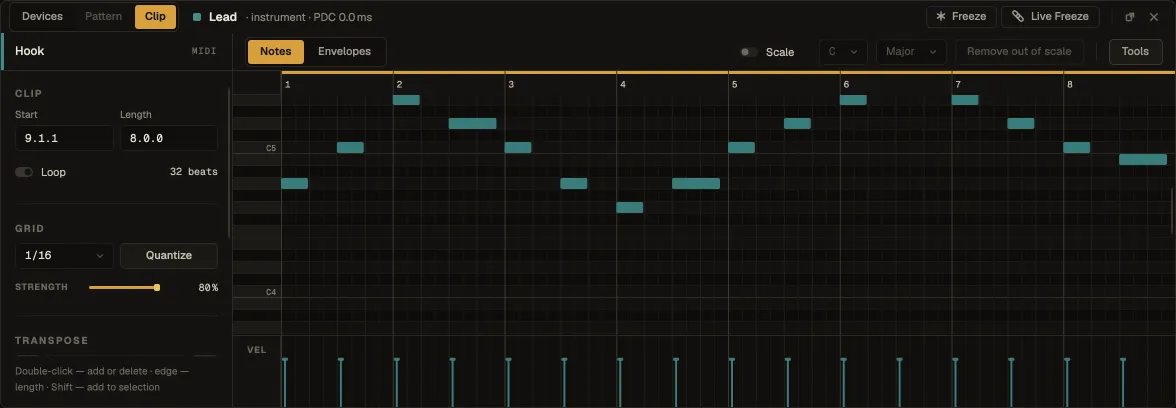
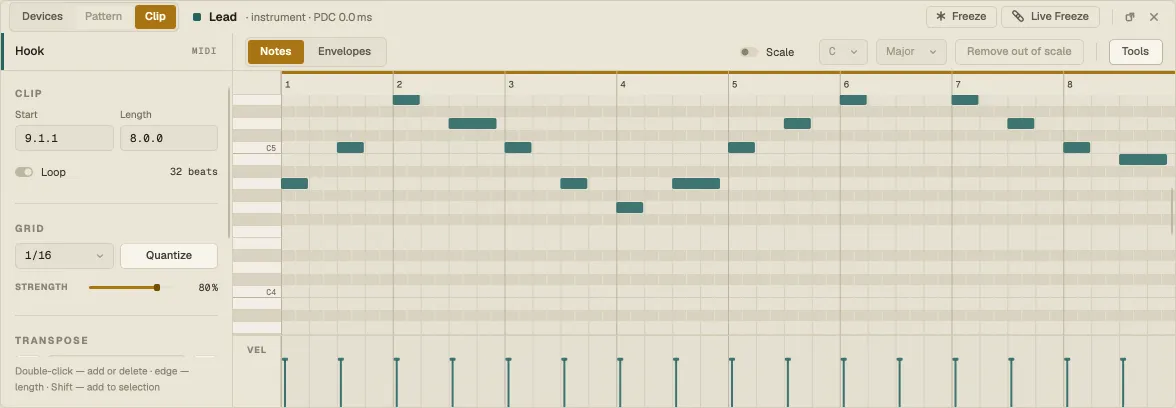
| Do this | To |
|---|---|
| Double-click empty grid | Add a note |
| Double-click a note | Delete it |
| Drag a note | Move it in time and pitch |
| Drag a note’s edge | Change where it starts or ends |
| Click a note · ⇧-click | Select it · add it to the selection |
| Drag across empty grid | Select the notes in the rectangle |
| ⌘A | Select all notes |
| ← → | Move the selection by the grid |
| ↑ ↓ · ⇧↑ ⇧↓ | Transpose by a semitone · an octave |
| ⌘D | Duplicate the selection right after itself (replacing the notes it lands on) |
| ⌘C ⌘X ⌘V | Copy, cut, paste notes |
| Delete | Delete the selected notes |
Edits play straight away — drag a note while the loop runs and you hear it move.
Recorded MPE
Section titled “Recorded MPE”A note recorded from an MPE controller or Nota Remote’s Expressive keys carries its expression: a line over the note traces the pitch it played (a row per semitone) and a shade rising from its floor shows the pressure. Move, copy, duplicate, transpose or quantize the note and its expression goes along.
Editing it
Section titled “Editing it”The lane under the notes switches with the labels on its left: VEL (velocity), BEND, PRES (pressure) and SLIDE. In an MPE lane every note’s curve is drawn over the note’s own span; the selected notes’ curves are the ones you edit, with their points marked.
| Do this | To |
|---|---|
| Drag across a note | Draw its curve over the stretch you drag (the highest note there gets selected if none is) |
| ⌥-drag | Draw a straight line instead |
| Drag a point | Move it in time and value |
| Double-click | Add a point · on a point, delete it |
| Right-click | Clear this lane’s curve or Clear All Expression on the selected notes |
BEND is in semitones and scales itself to what is there (±2, 12, 24, 48 or 96); PRES and SLIDE run 0–100 %, slide resting in the middle. Every gesture is one undo step and plays back straight away. Drawn expression works on any note — no MPE controller needed — and plays on the synths that take MPE.
Velocity
Section titled “Velocity”The lane under the notes shows each note’s velocity as a stem. Drag a stem to set it; with several notes selected, they move together. ⇧ adds a note to the selection.
The left column
Section titled “The left column”- Clip — Start and Length, and Loop with the loop length.
- Grid — what notes snap to (1/16 and so on). Quantize pulls the selected notes onto the grid, as far as Strength says — 100 % is rigid, less keeps some of the feel.
- Transpose — move the selection by semitones or octaves.
Turn Scale on in the toolbar and pick a root and a scale: the rows outside it are dimmed, so the notes that fit stand out. Remove out of scale deletes every note that doesn’t fit. The setting stays as you move between clips. The Nota Scale MIDI effect uses the same scales to correct notes live.
Envelopes
Section titled “Envelopes”Envelopes (next to Notes) draws curves across the clip: Velocity scales the notes’ velocity, Volume the instrument’s output while the clip plays. Click to add a point, drag it, right-click it to delete it.
Tools opens generators and transforms that write notes for you. Pick a tool, set its parameters, and Apply — Add puts the result on top of the clip’s notes, Replace swaps them; Reroll tries another Seed, Revert goes back.
Generators — for an empty clip:
| Tool | What it does |
|---|---|
| Rhythm | Lays down a pattern that leans on the strong beats, as densely as you ask |
| Seed | Learns the clip’s intervals and rhythm, then writes a new take in the same voice |
| Stacks | Grows every note into a chord, voiced the way you’d play it |
| Euclidean | Spreads a number of hits as evenly as a number of steps allows |
| Melodic Steps | A step sequencer in scale degrees — pick a contour and a span, get a line |
| Shape | Traces a curve across the clip and drops a note wherever it passes a step |
Transforms — for notes you already have:
| Tool | What it does |
|---|---|
| Arpeggiate | Breaks chords into a running sequence |
| Connect | Fills the gaps between notes with runs that walk to the next pitch |
| Ornament | Decorates notes with grace notes, trills and rolls |
| Quantize | Pulls notes onto the grid, with swing and a strength short of rigid |
| Recombine | Pulls pitch and rhythm apart and puts them back together differently |
| Span | Rewrites note lengths — from staccato through legato to overlapping |
| Strum | Rolls the notes of a chord out in time instead of hitting them together |
| Time Warp | Bends the time axis so a phrase accelerates, drags or breathes |
| Velocity Shaper | Draws a curve through the velocities instead of editing them one by one |